








































GST returns (GSTR-1)
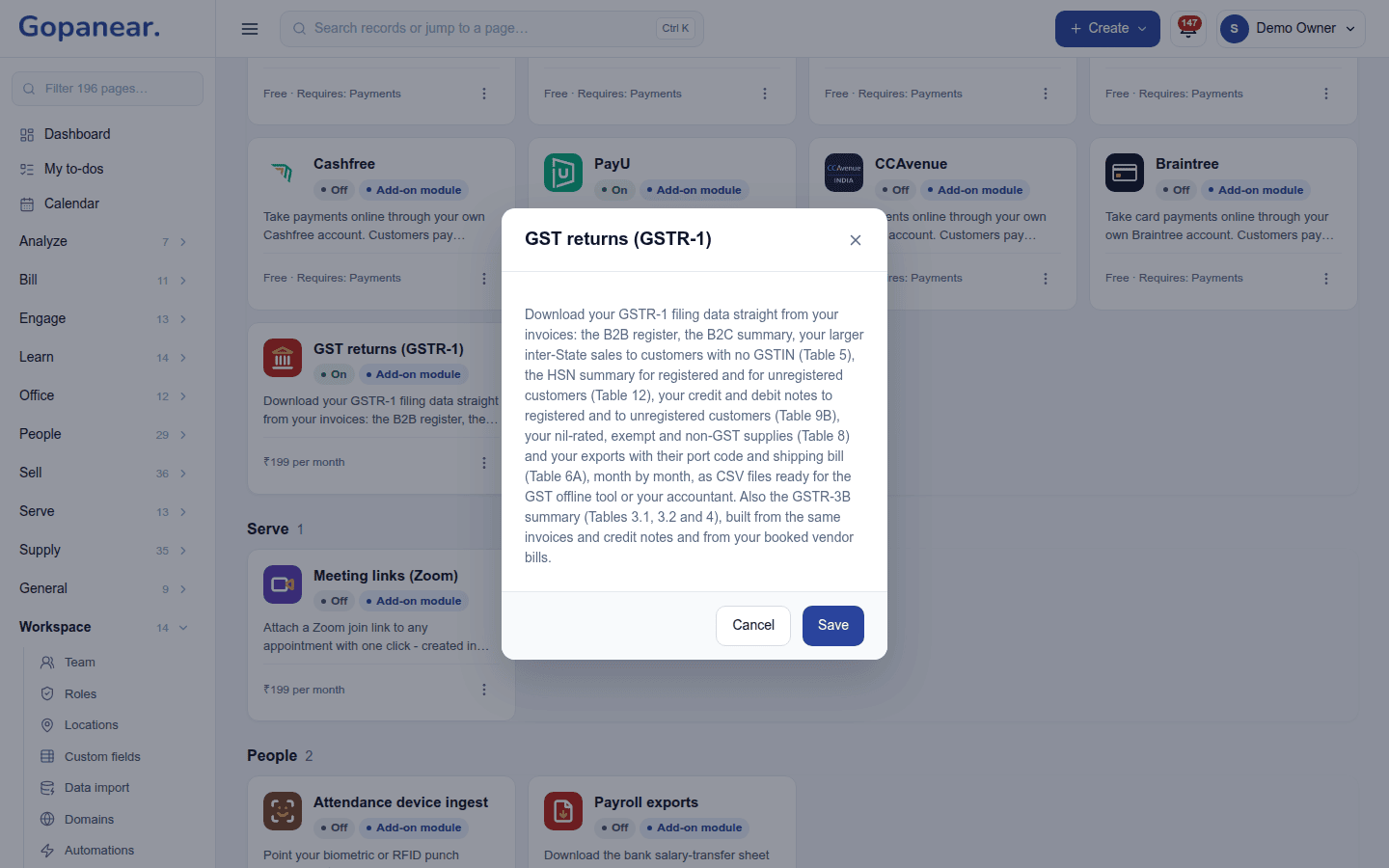
Downloads the GSTR-1 filing data straight from the workspace's invoices, month by month, as CSV files ready for the GST offline tool or the accountant, plus the GSTR-3B summary.
| At a glance | |
|---|---|
| Type | Add-on module |
| Group | Bill |
| Price | ₹199 per month (list price) |
| Provides | Export GST return data |
| Needs | Invoicing, where the invoices and credit notes are |
| Offered to | Every industry pack |
| Permission | Manage add-ons (addons.manage) to switch on; View invoices to download |
What it does
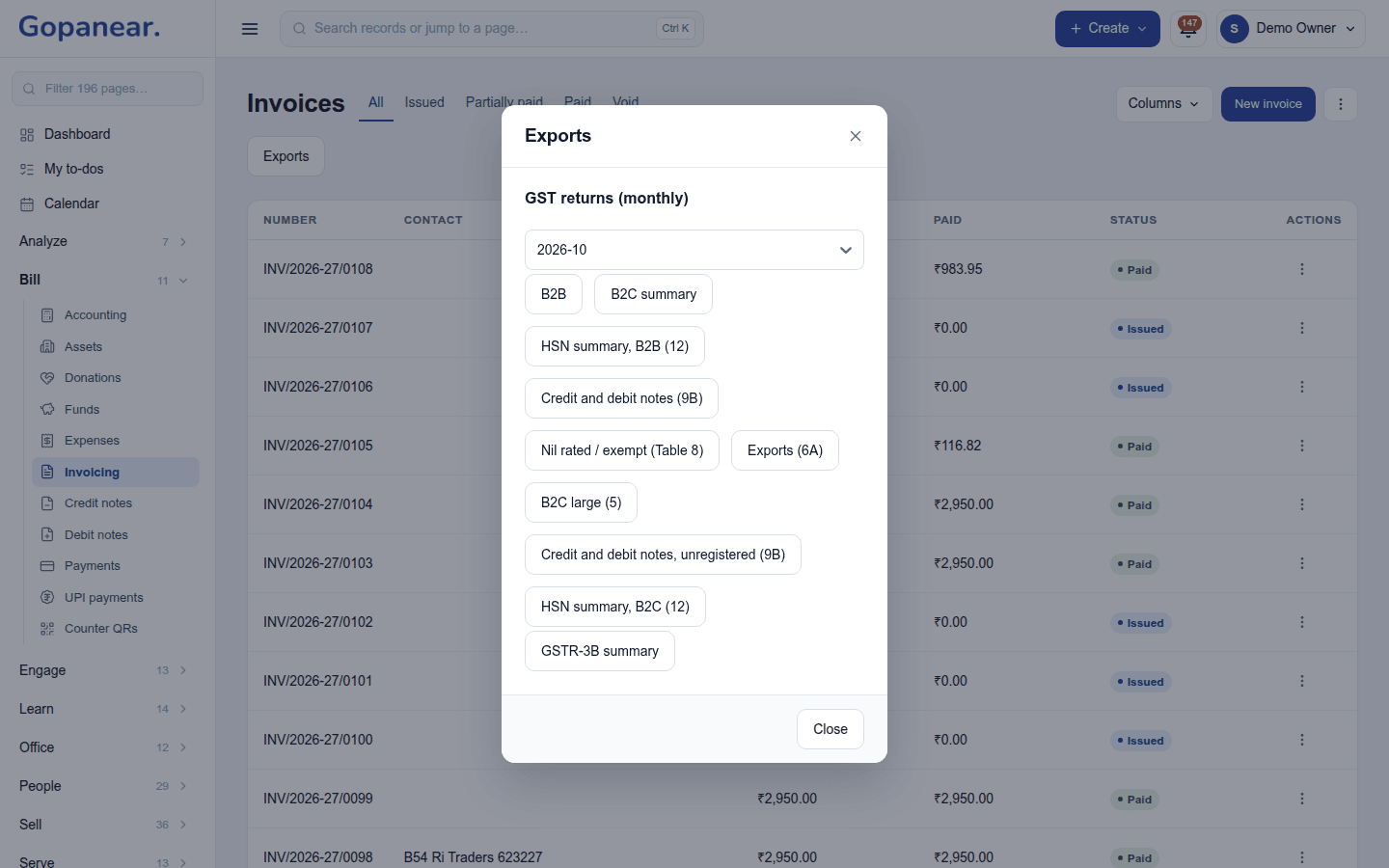
GST returns is a pure unlock. It has no keys and talks to no outside service: switching it on adds Exports to the Invoices screen's three-dot menu, over data the workspace already holds. Every file is built from issued invoices, credit and debit notes and, for GSTR-3B, booked vendor bills.
The sections come from the server, so a new section reaches the screen the day it ships:
| Button | What the file holds (the offline tool's sheet) |
|---|---|
| B2B | Invoices to registered customers (b2b) |
| B2C summary | Sales to unregistered customers, summed by rate and place of supply (b2cs) |
| B2C large (5) | Inter-State sales above the Table 5 limit to customers with no GSTIN (b2cl). The limit applies to books kept in rupees. |
| HSN summary, B2B (12) | Table 12, the HSN summary for registered customers (hsn) |
| HSN summary, B2C (12) | Table 12, the HSN summary for unregistered customers (hsn_b2c) |
| Credit and debit notes (9B) | Notes to registered customers (cdnr) |
| Credit and debit notes, unregistered (9B) | Notes to unregistered customers and against exports (cdnur) |
| Nil rated / exempt (Table 8) | Nil-rated, exempt and non-GST supplies (table8) |
| Exports (6A) | Exports, with their port code and shipping bill (exp) |
| GSTR-3B summary | GSTR-3B tables 3.1, 3.2 and 4, from the same invoices and credit notes and from booked vendor bills. Indian workspaces only. |
Rate-wise sheets carry no tax columns, as the offline tool's own have none: the tool works the tax out from the rate and taxable value.
GSTR-2B matching
With Purchasing on, the add-on also checks the month's GSTR-2B from the GST portal against the booked supplier bills (Purchasing → Vendor bills → GSTR-2B). It shows which documents match, which differ and how, which are not in the books, and which bills the supplier has not reported, with the credit at risk. See GSTR-2B matching.
Switching it on
- Go to Workspace → Modules, filter to Add-on modules. GST returns (GSTR-1) is under Bill.
- Open its ⋮ menu and choose Enable. The dialog only describes what it does; press Enable.
Downloading a return
- Open Bill → Invoicing, open the three-dot menu beside New invoice and choose Exports.
- Pick the month (the last twelve are offered; it opens on the latest month of the last completed filing period).
- Press the section to download. Each file is a CSV.
Which month an invoice falls in: the calendar date on the workspace's clock (the time zone under Settings → Business day, else the country's). The business-day start time does not move anything, so an invoice raised at 01:00 on the 1st is in that month.
How often you file is set under Settings → Tax → Tax returns (Monthly, Quarterly or Yearly). The Exports heading follows it: GST returns (quarterly - one file per month of the quarter). The same card sets a reminder a number of days after each period ends.
Food-delivery orders from Zomato and Swiggy are named in the B2C summary and GSTR-3B by the platform's GSTIN stamped on each order.
Turning it off
Turn off on the ⋮ menu asks first. The GST sections leave the Exports dialog (the button itself stays while Tally export is on). Nothing is lost: the files are built from the invoices on demand.
Ready-made automations
None. Return due reminders are built in (Settings → Tax → Tax returns).
In the desktop and mobile apps
Not carried. Returns are downloaded from the web app.