








































Reservations
The front desk of a hotel or guest house: room types and rooms, rates and stop-sell by date, booking stays, checking guests in to a room, charging everything to the room's folio, checking out on one bill, and the housekeeping board.
| At a glance | |
|---|---|
| Type | Business module |
| Group | Sell |
| Needs | Nothing. The folio is an ordinary order, and check-out issues an ordinary invoice. |
| Included in | Hotel / guest house, PG & student housing |
| Offered to | Hotel / guest house, PG & student housing, Association & club, Trusts & non-profits, Restaurant, Housing society & RWA |
| Permissions | View reservations (reservations.view), Manage reservations (reservations.manage), Housekeeping (reservations.housekeeping) |
What it does
A stay is sold against a room type; a physical room is handed over only at check-in. The bill, the folio, stays open for the length of the stay, so the restaurant, the minibar or the spa can charge to it, and check-out settles it once.
Switching it on
Workspace → Modules → Reservations → Enable (needs Manage modules). Reservations, Rooms and Rates appear under Sell.
Rooms
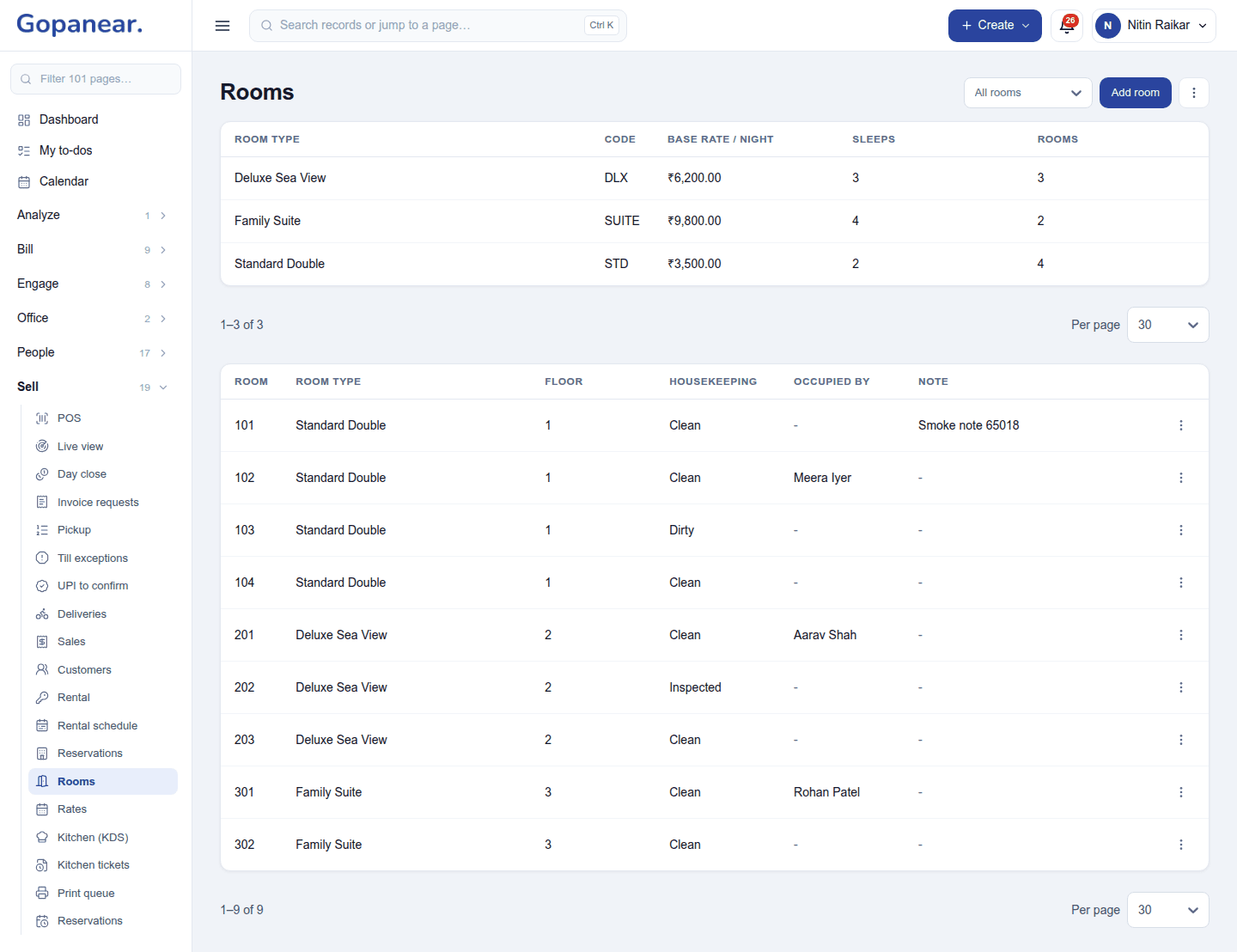
Sell → Rooms keeps:
- Room types: what is sold (Deluxe Sea View), with its code, base rate per night, how many it sleeps and how many rooms it has. Add room type.
- Rooms: each physical room with its number, type, floor, housekeeping state (clean, dirty, inspected or out of order), who occupies it and its note. Add room. A room out of order is not sold.
A room's ⋮ menu marks its housekeeping state and has Write a note (or Edit note): a short line the housekeepers and the front desk both see, such as AC not cooling or make up after 2 pm. Save it empty to clear it. A note is about the room, never a guest's name.
Rates
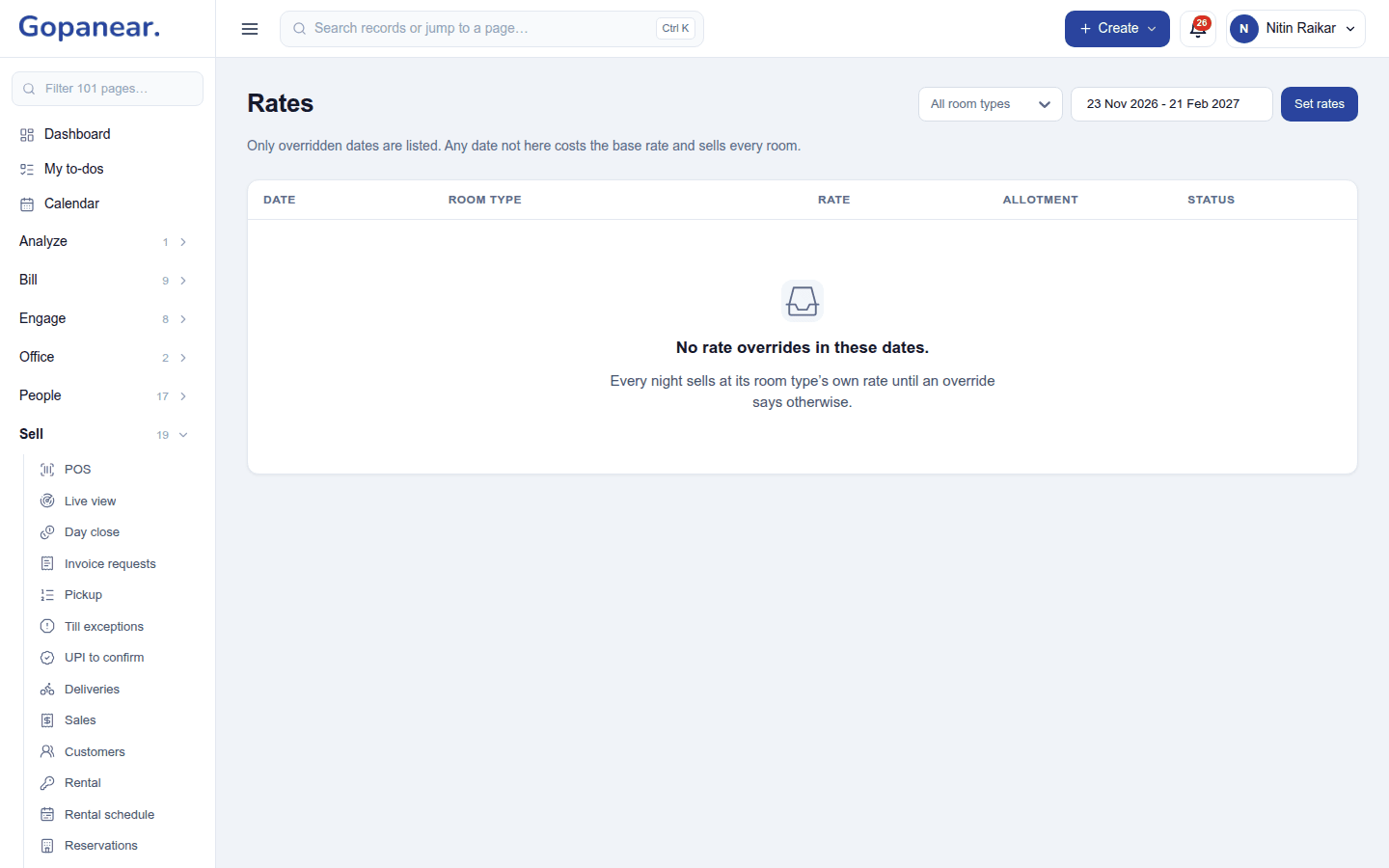
Sell → Rates overrides the base rate over a range of dates (the whole of Diwali week costs this): a rate, an allotment (how many rooms of the type are on sale) and closed (stop-sell). A date never touched sells at the base rate.
The front desk
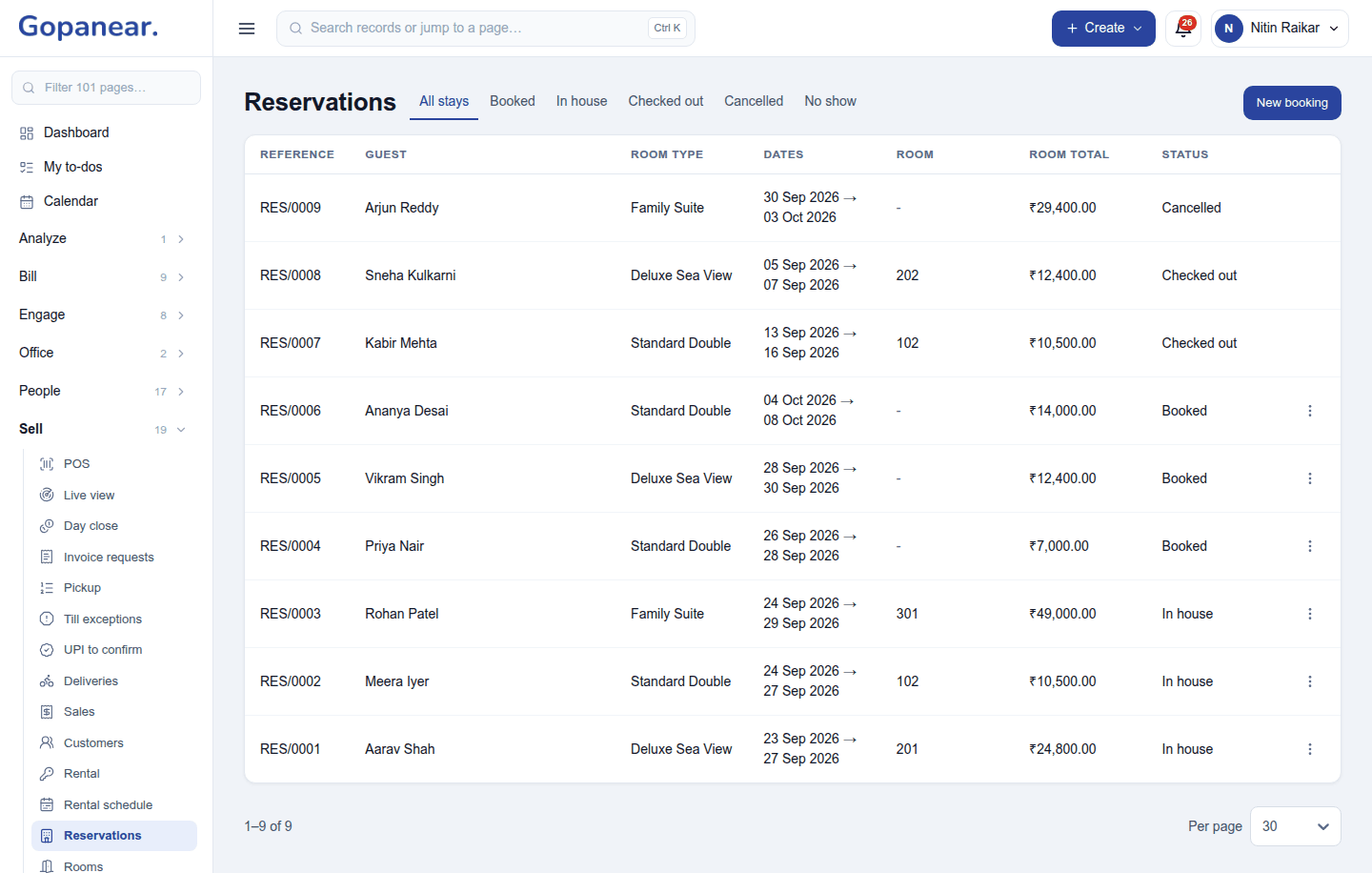
Sell → Reservations lists every stay: reference (RES/0009), guest, room type, dates, room, room total and status. The status dropdown in the header filters by Booked / In house / Checked out / Cancelled / No show (All stays when cleared).
- New booking: pick the arrival and departure dates. Each room type shows how many are free (the scarcest night of the stay) and what the whole stay costs. Pick a type and the guest, and Book. The price is fixed at booking.
- Check in: hands over a room (the cleanest free room of the type, or one you name) and opens the folio with one line per night at that night's rate.
- View folio: the folio's lines, one per night and then everything charged to the room, with the total.
- Charge to room: anything else the guest has (laundry, the minibar, an airport drop) posts to the same folio. Pick the item and the quantity, and Charge. It is billed at the item's price, with its tax.
- Move room: moves a guest in house to another free room. Rooms of the same type are listed first; another type works when it has a room to spare for the nights the guest has left. The stay keeps its rate and its folio, and the room the guest leaves comes back dirty.
- Check out: settles the whole stay as one invoice, paid in cash or by card. A stay whose folio comes to nothing (a complimentary room) checks out with no payment. The room comes back dirty for housekeeping.
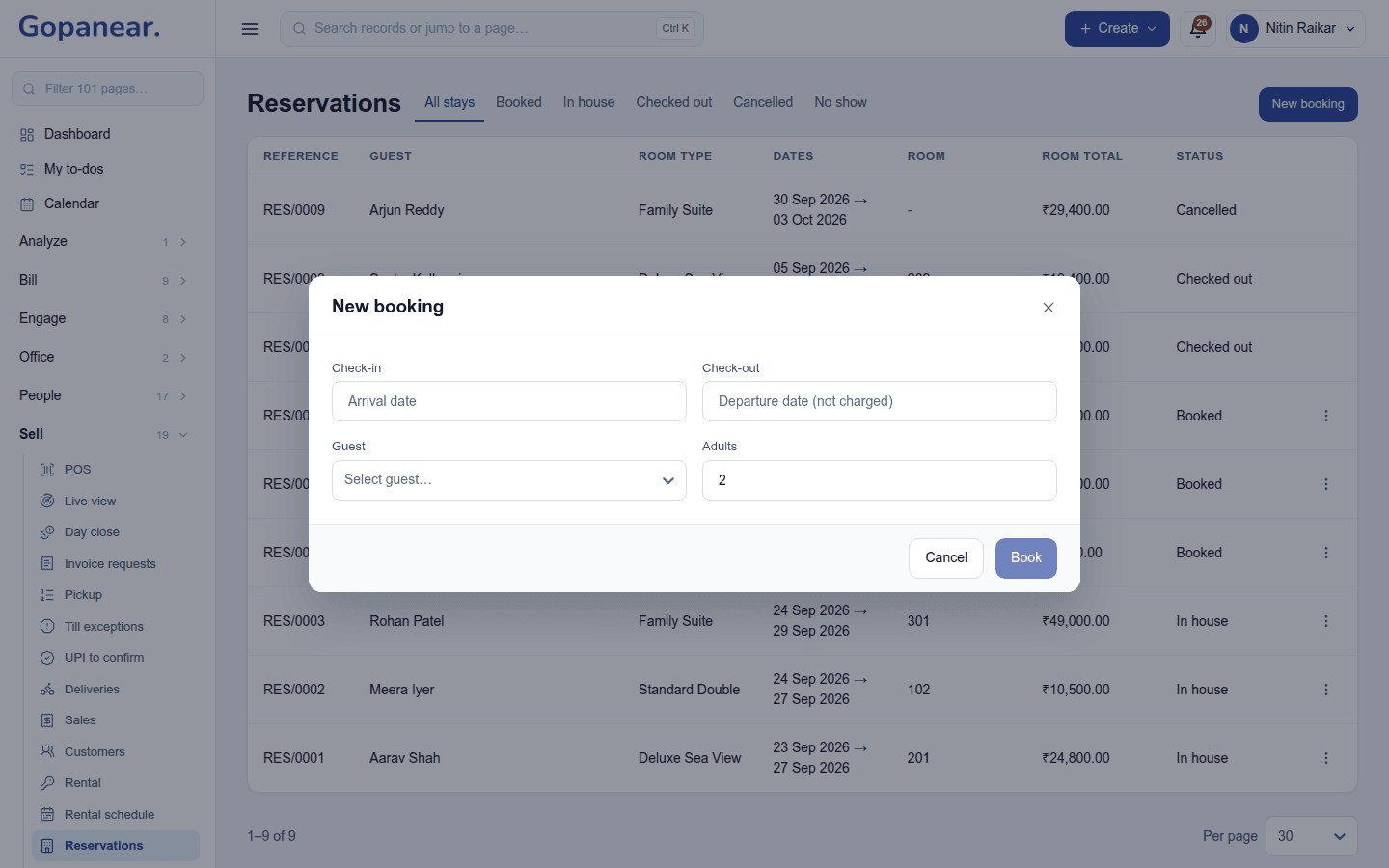
A booked stay can be cancelled or marked a no-show, and its room goes back on sale. A checked-in stay cannot: its folio has to be settled.
Permissions
| Permission | Allows |
|---|---|
View reservations (reservations.view) |
See bookings, rooms, rates and folios. |
Manage reservations (reservations.manage) |
Book stays, check guests in and out, charge to a room, move a guest to another room, settle folios, keep rooms and rates. |
Housekeeping (reservations.housekeeping) |
Mark rooms clean, dirty, inspected or out of order, and write a room's note, without taking payments. |
Ready-made automations
| Name | Kind | What it does | Starts |
|---|---|---|---|
| Confirm a booking to the guest | Rule | Emails the guest when a room is booked. | On |
| Remind the guest the day before arrival | Rule | The day before check-in, emails the guest. | On |
| Email the booking details | Action (on a booking) | Sends the guest their booking dates again. | On |
Turning it off
The three screens leave the menu and the guest emails stop. Stays, rooms, rates and invoices are kept.
In the desktop and mobile apps
- Hotel Front Desk (Windows, Mac, Ubuntu) carries the front desk and the Rooms board, with the hotel restaurant's till beside them. Check-in, check-out (cash or card), no-show, cancel, the folio, a charge to the room, a room move, a room's housekeeping state and its note all work with no internet: each shows at once marked Waiting to sync and is sent the moment the internet is back. A charge made offline is priced from the restaurant menu the computer keeps and counts in the check-out total. A new booking and adding rooms need the internet, and say so. The rate calendar stays in the browser.
- Hotel Housekeeping (Android, iPhone) carries the Rooms board: every room by floor and state, marked clean, inspected, dirty or out of order, with the room's note to read and write, online or not. It never shows guests' names; a housekeeper needs only the Housekeeping permission.
- If the desk and a phone change the same room (its state or its note) while one of them is offline, the newer change on the server stands and the other is shown back with the reason, to do again or dismiss. A guest moved by two desks at once is the same: the second move comes back with the room the guest is in now.
Related guides
- Reservations (detail), Hostel (long stays for students), POS (charging the restaurant to a room)
- Module guides index