








































Lab / diagnostics
Runs a diagnostic lab's bench: the test catalogue with reference ranges, every ordered test from sample to signed-off result, critical values phoned to the clinician, turnaround times, and the verified report for the patient and the referring doctor.
| At a glance | |
|---|---|
| Type | Business module |
| Group | Serve |
| Needs | Nothing. Tests are ordered as ordinary orders, so they are billed like any sale. |
| Included in | Diagnostic lab / pathology, Clinics |
| Offered to | Diagnostic lab / pathology, Clinics, Vet clinic & pet shop |
| Permissions | View lab (lab.view), Manage lab (lab.manage), Verify lab results (lab.verify) |
What it does
A test is a product, and ordering one is placing an ordinary order. Each order line is a test ordered, so billing, payment and tax need nothing new, and the lab module is the bench. There is no separate "new lab order" screen: a requisition is raised like any order (at the counter, the till or from a consultation), and its tests appear on the worklist.
Switching it on
Workspace → Modules → Lab / diagnostics → Enable (needs Manage modules). Lab and Tests appear under Serve.
The catalogue (Tests)
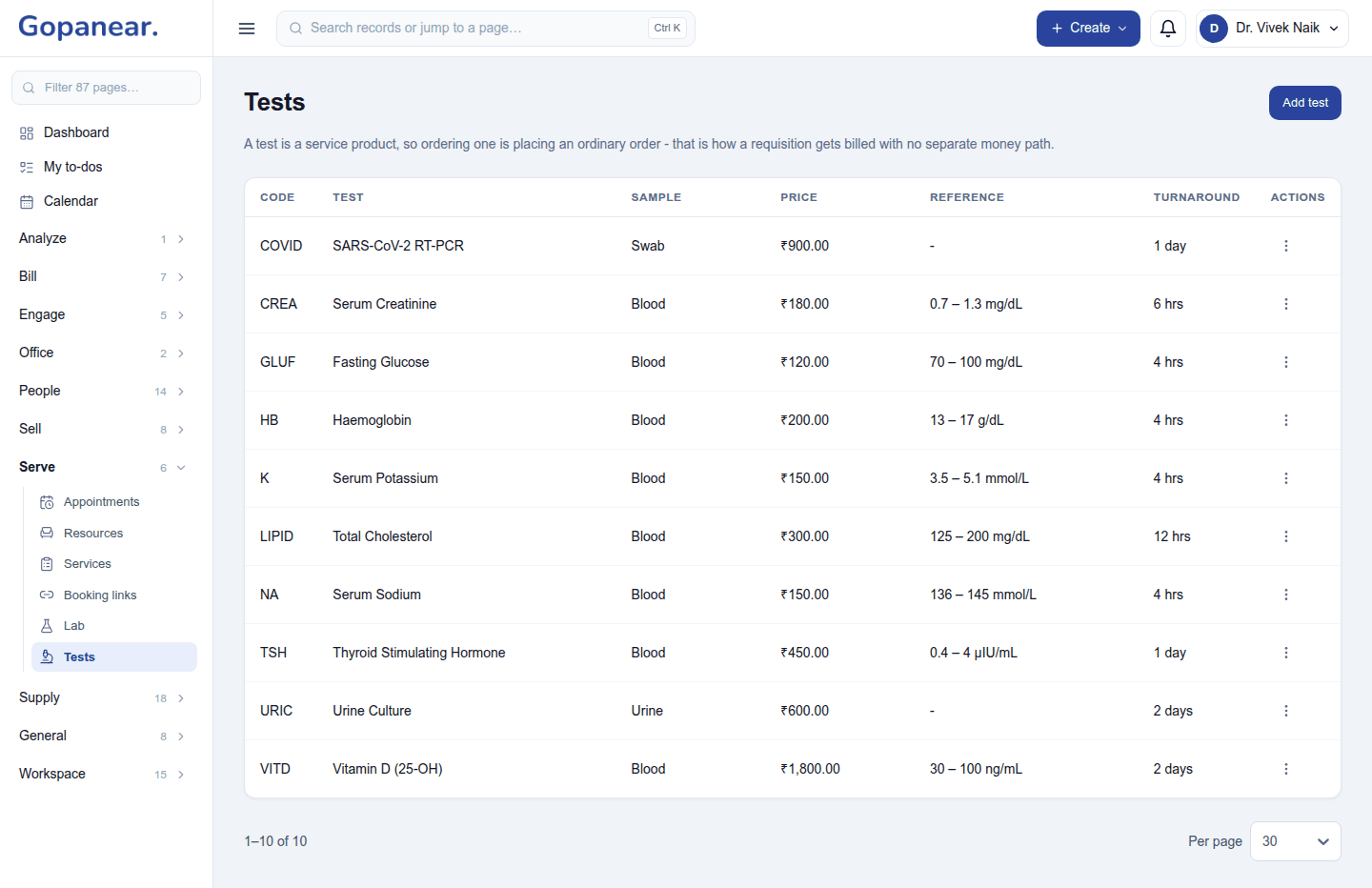
Serve → Tests: each test with its code, name, what is collected (blood, urine, swab …), unit, reference range, method, turnaround and price. Add test asks for:
| Field | What it is for |
|---|---|
| Name, code | Haemoglobin, HB |
| What is collected | The sample type |
| Unit | For a measured test, such as g/dL |
| Normal from / to | The reference range for a measured test |
| Expected answer | For a word test, such as Non-reactive |
| Critical low / high | At or beyond these, phone the clinician |
| Method | Printed on the report, such as ELISA |
| Turnaround (hours) | From collection to report |
| Price | What the patient is charged |
A test with neither a range nor an expected answer is reported without a flag, never as "normal". Withdraw from the menu stops a test being ordered; editing a range never changes results already reported.
The bench (Worklist)
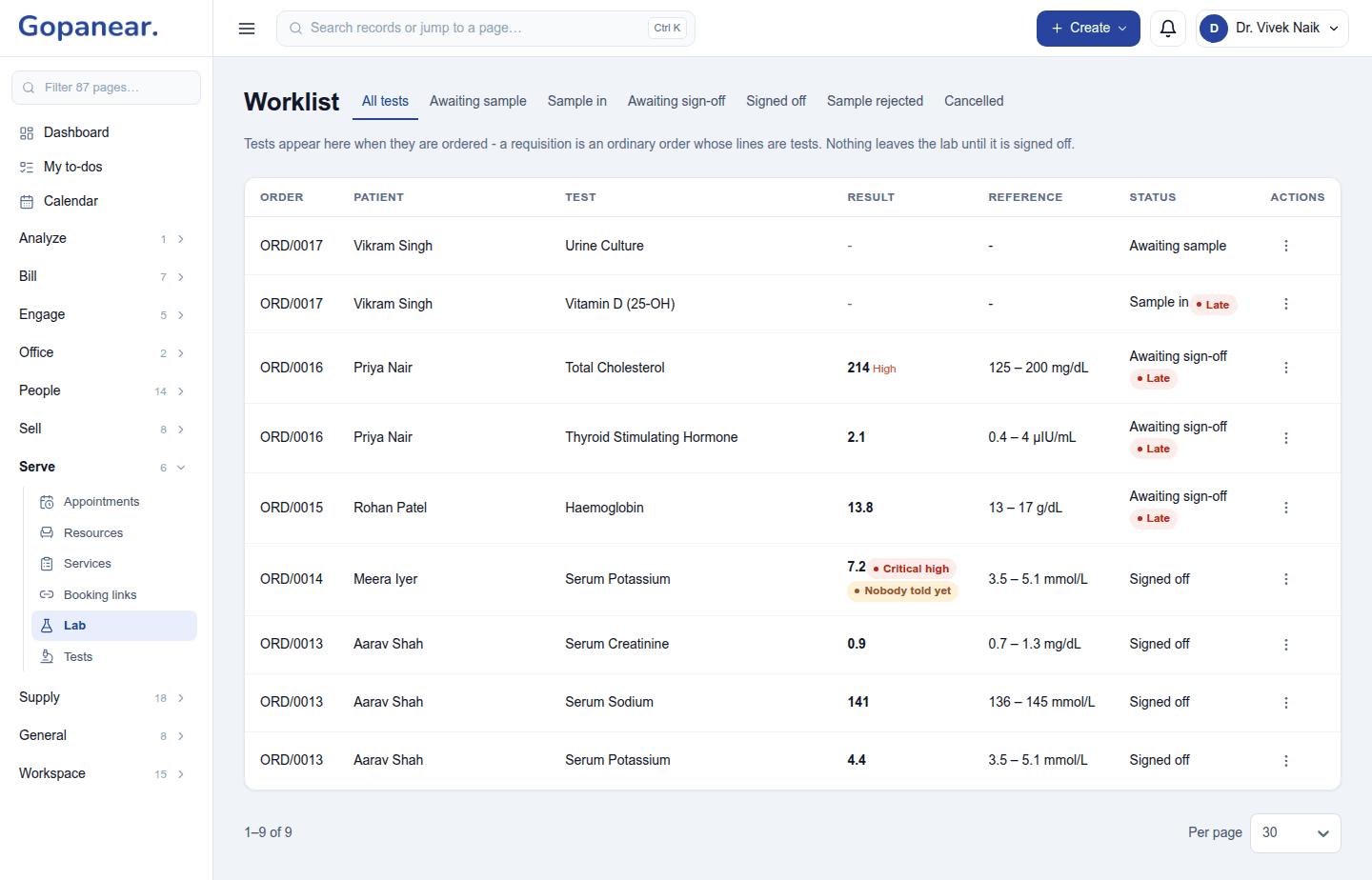
Serve → Lab lists every ordered test with its patient, order, sample, result, status and turnaround (Late when past its promise). Each test walks four steps:
| Status | Who | What happens |
|---|---|---|
| Awaiting sample | Phlebotomy | Ordered; Mark sample collected (or Not obtained) |
| Sample in | Technician | Enter result: the value is flagged against the range stamped at that moment |
| Awaiting sign-off | Pathologist | Sign off (needs Verify lab results) |
| Signed off | Releasable; Download report |
The status is per test, not per order: a blood count can be back in an hour while a culture takes three days. Amend result on a signed result sends it back for a second signature.
Critical values: a result at or beyond a critical limit raises the alarm as it is entered, and the call to the clinician is recorded: who was told, their role, how they were reached, and what they read back.
The report
Download report gives the PDF for the whole order, with only signed-off results, each with its range and flag, the referring practitioner and the method. The patient gets it in the customer portal under My reports.
Permissions
| Permission | Allows |
|---|---|
View lab (lab.view) |
See lab orders, samples and results. |
Manage lab (lab.manage) |
Keep the catalogue, collect samples and enter results. |
Verify lab results (lab.verify) |
Sign off a result so it can leave the lab. |
Ready-made automations
| Name | Kind | What it does | Starts |
|---|---|---|---|
| Tell me when a test result is late | Rule | An hour after a result was due and is still not out, tells the workspace owner. | On |
Turning it off
Lab and Tests leave the menu. Tests, results and reports are kept; tests already ordered stay on their orders.
In the desktop and mobile apps
A Diagnostic lab workspace has two apps (see the lab apps):
- Lab Desk at the front desk: the Samples screen is the worklist. With no internet it lists the tests the computer last synced (every test waiting for or holding its sample, and those changed in the last two days), and Mark sample collected still works: the test, and the panel's other tests of the same patient, order and sample type, show Sample in at once, marked Waiting to sync. The accession number is given when the change reaches the server, and the sample keeps the time it was really drawn, so its turnaround runs from then. Entering, signing off and amending results, reports and the referrer need the internet.
- Lab Collection on the collector's phone: each patient's tests waiting for their sample, the sample drawn at the lab or at the patient's home with no signal, and the day's home visits.
A draw the server refuses (tests for two patients in one tube, a test no longer waiting) is shown with its reason and can be dismissed.
Related guides
- Clinical records (EMR), Customer portal
- Module guides index