








































Payments
The register of money received and paid back: every receipt against an invoice, every advance deposit, every refund, whether taken by hand or through the workspace's own payment gateway.
| At a glance | |
|---|---|
| Type | Business module |
| Group | Bill |
| Needs | Nothing |
| Included in | Every pack that sells |
| Offered to | Every industry pack |
| Payment gateways | Add-on modules of Payments: Razorpay, Stripe, PayPal, Adyen, Cashfree, PayU, CCAvenue, Braintree |
| Permissions | Core: Record payments (payments.record) |
What the module is, and is not
Recording money is Core: the till, an invoice's Record payment and cash or bank payments of any kind are recorded with or without this module. The Payments module switches on the Payments screen, the register over them, and it is the module that takes money online: every payment gateway is an add-on module of Payments. Its permission is the Core Record payments.
Switching it on
Workspace → Modules → Payments → Enable (needs Manage modules). Payments appears under Bill.
The register
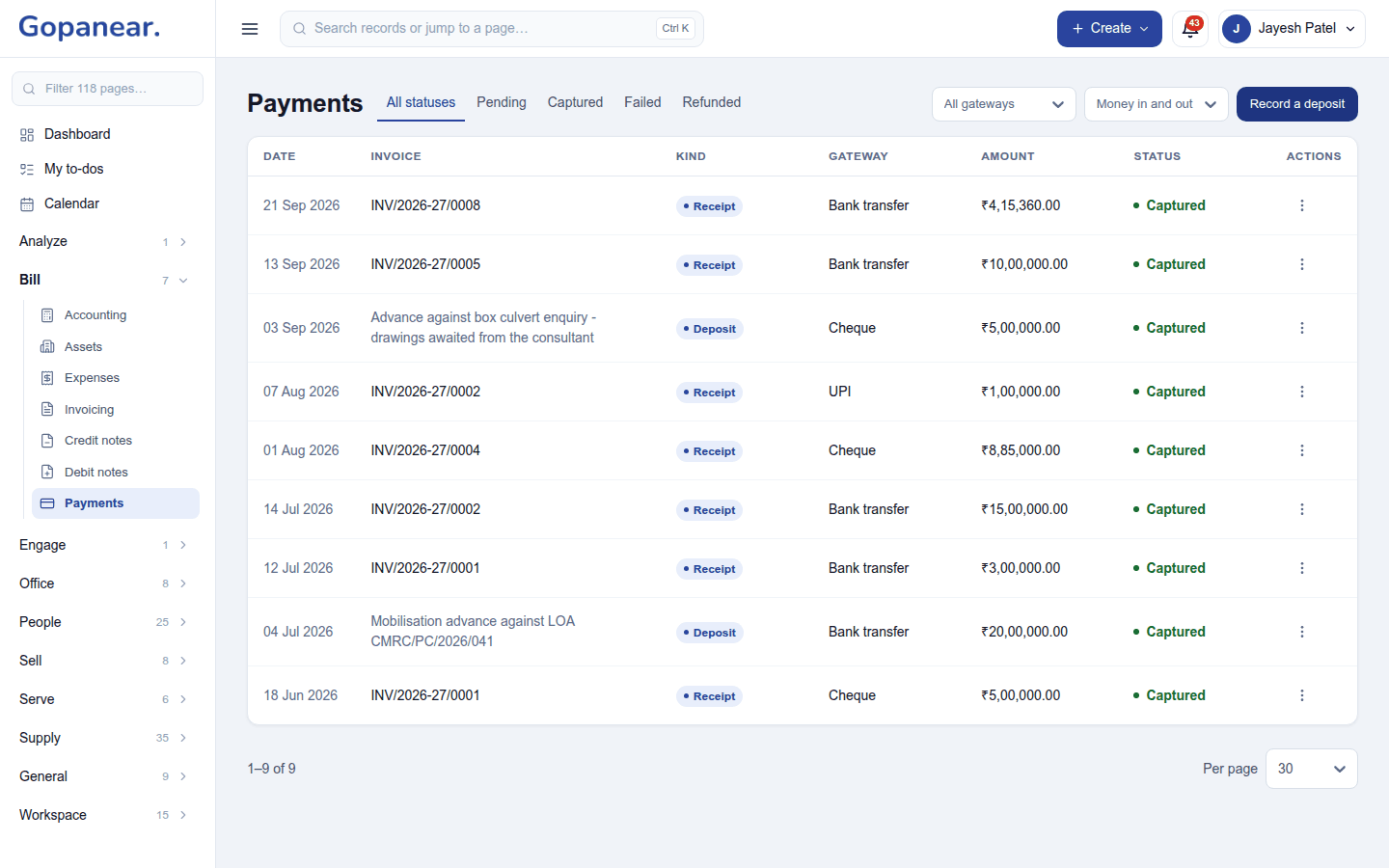
Bill → Payments lists every payment: date, the invoice (or what an advance was for), kind (Receipt, Deposit, refund), how it came (bank transfer, cheque, UPI, card, cash or the gateway), amount and status. The tabs filter All statuses / Pending / Captured / Failed / Refunded; the header filters by gateway and by money in or out.
A payment's ⋮ menu offers Download receipt (the payment receipt, or the advance receipt voucher) and Record TDS on a deposit the customer took tax off.
Recording an advance
Record a deposit takes money before there is an invoice: a booking deposit, a retainer, an advance. Apply it to invoices later, from the invoice's Apply advance.
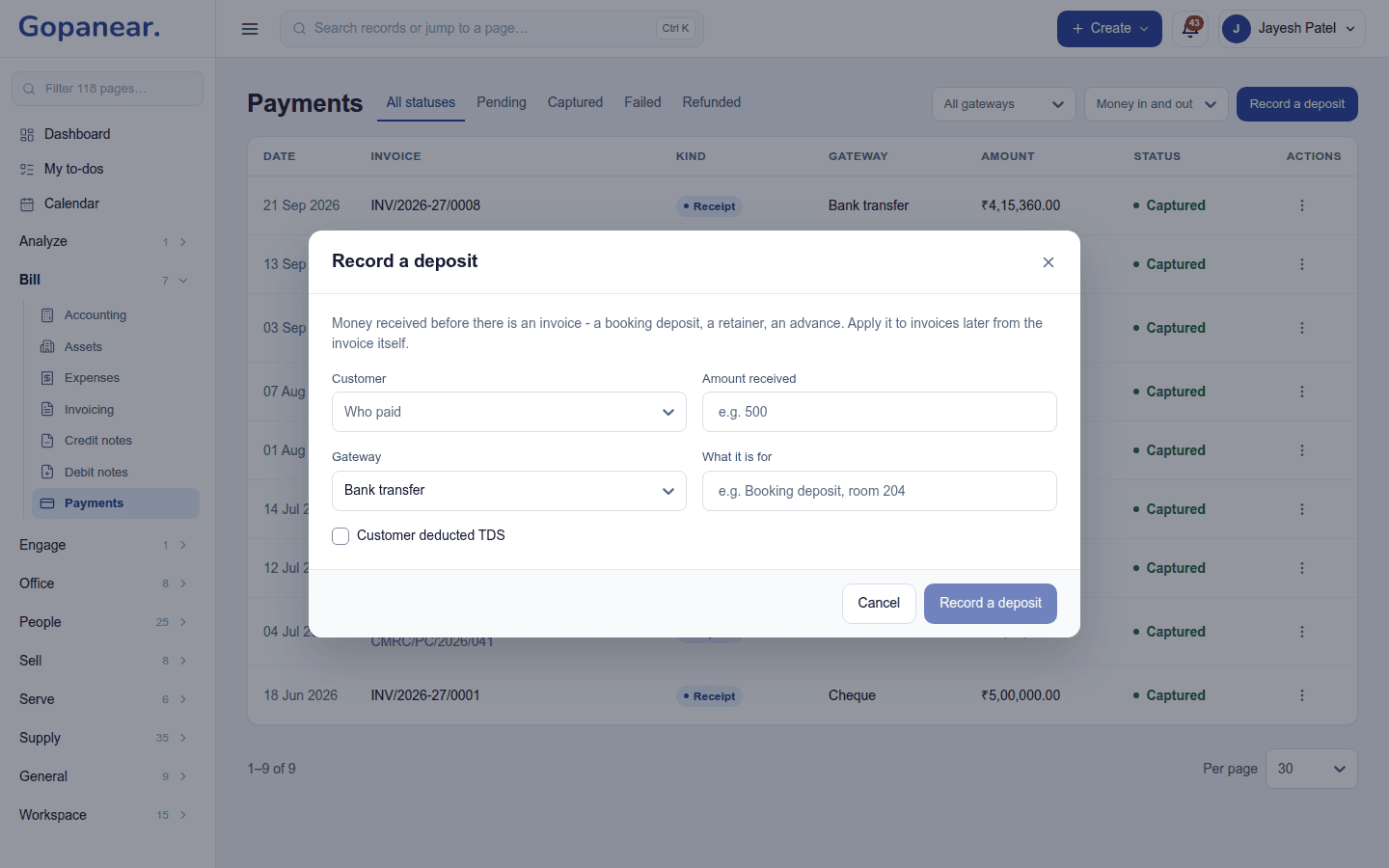
| Field | What to enter |
|---|---|
| Customer | Who paid |
| Amount received | What came in |
| Gateway | How it came: bank transfer, cash, UPI, cheque … |
| What it is for | For example Booking deposit, room 204 |
| Customer deducted TDS | Tick when the customer paid less because they withheld tax |
Payments against an invoice are recorded from the invoice itself (Invoicing).
Taking payments online
Each payment gateway is an add-on module of Payments. Payments takes money online only through the gateways switched on, and what it can do depends on which ones are on. Every gateway lets customers pay invoices, shop orders, event tickets and course places online, sends refunds back through itself, and makes pay-now links:
| Gateway | Customers pay with | Currencies | Also |
|---|---|---|---|
| Razorpay | UPI, card, netbanking, in Razorpay's window on the page | Rupees and the others Razorpay takes | UPI QR payments (the UPI QR module and the till's QR for the exact amount); automatic payment of subscription renewal bills by UPI AutoPay or a saved card (rupees) |
| Stripe | Card, on Stripe's page | Most two-decimal and zero-decimal currencies | Staff Collect online; automatic payment of subscription renewal bills with a saved card |
| PayPal | PayPal or card, on PayPal's page | 23 currencies, not rupees | Staff Collect online; automatic payment of subscription renewal bills with a saved PayPal account |
| Adyen | The methods the Adyen account offers, on an Adyen payment link page | Almost every currency | Staff Collect online; automatic payment of subscription renewal bills with a saved card (not in rupees) |
| Cashfree | UPI, card, netbanking, on Cashfree's page | Rupees | Staff Collect online; automatic payment of subscription renewal bills by UPI AutoPay, a card or a bank mandate |
| PayU | UPI, card, netbanking, on PayU's page | Rupees | Staff Collect online; automatic payment of subscription renewal bills by UPI AutoPay, a card or net banking (up to ₹15,000 a charge) |
| CCAvenue | UPI, card, netbanking, wallets, on CCAvenue's page | Rupees | Staff Collect online |
| Braintree | Card, in Braintree's own card fields on a page of ours | The Braintree merchant account's | Staff Collect online; automatic payment of subscription renewal bills with a saved card |
To take payments online:
- Switch Payments on (above).
- Go to Workspace → Modules, filter to Add-on modules, and switch on the gateway under Bill. It needs Payments, so it cannot be switched on while Payments is off, and Payments cannot be switched off while a gateway is on.
- Go to Settings → Payments and connect your own account for that gateway: its key, its secret (write-only), the webhook secret and the webhook address to give the gateway. Accept payments through this gateway switches online checkout on. The card offers only the gateways switched on, and one gateway takes payments at a time.
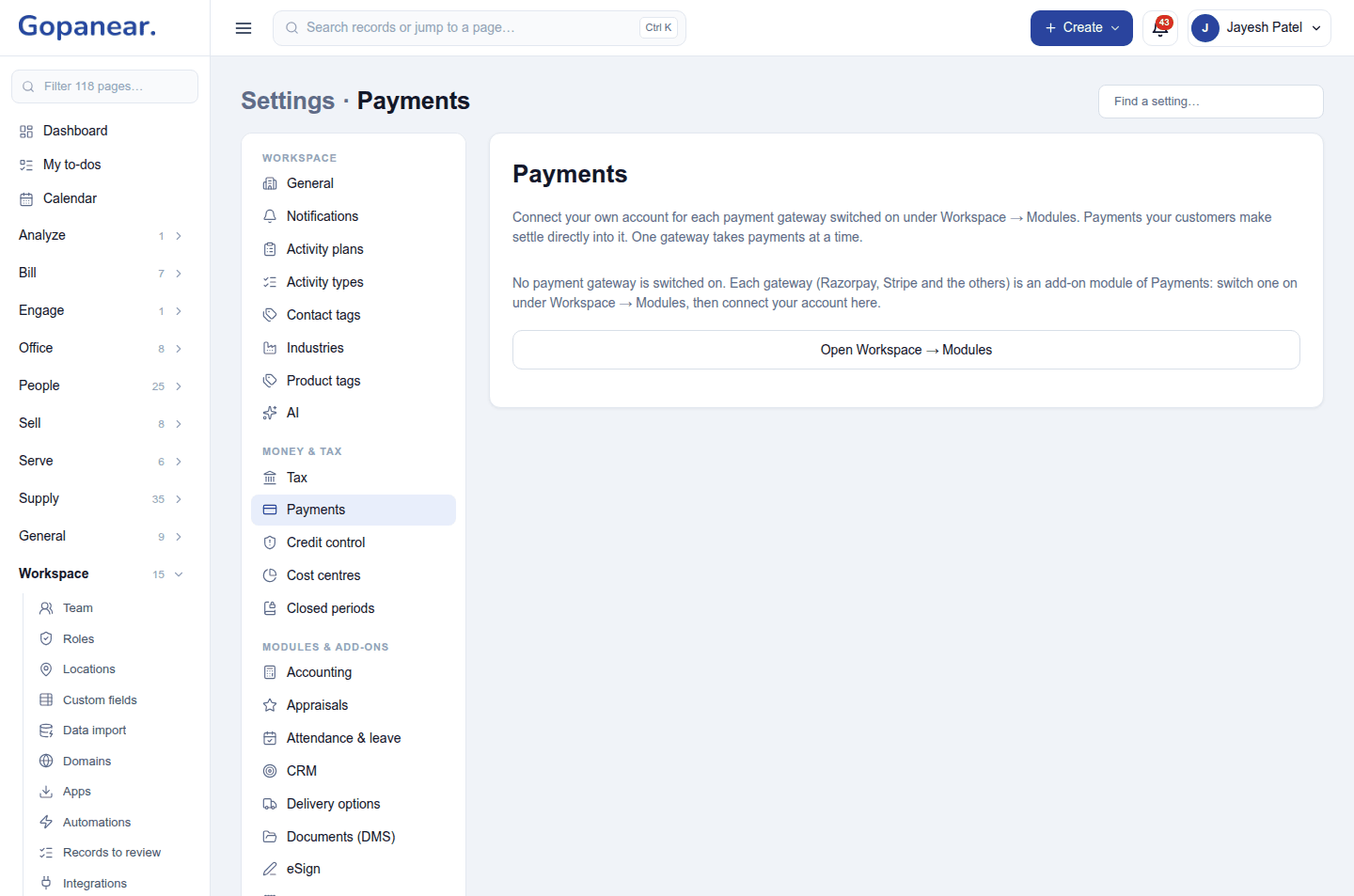
With a gateway on, an invoice can be paid on its own pay page, the online shop takes payment online, and refunds go back through the gateway. A payment that arrives after a bill was already settled is refunded by itself.
Switching a gateway off stops new online payments through it at once. Payments already under way are still recorded when the gateway confirms them, refunds of earlier payments still go back through it, and its keys stay saved, so switching it on again needs nothing re-typed.
Pay-now links
Payment links are part of Payments (until 22 November 2026 they were a separate add-on module). A pay-now link is the invoice's own pay page: the customer opens it and Pay now takes them to the gateway for whatever is still owed at that moment. The link never expires, and a part payment made elsewhere is already taken off.
Links are sent by the ready-made action Text a payment link (on an invoice's menu) and by the automation actions Text a payment link and WhatsApp a payment link. They need a gateway switched on and connected, plus an SMS add-on module (MSG91 or Twilio) or WhatsApp (Meta) to send them. With no gateway taking payments, a send is refused and the reason shows in the automation's run log.
Permissions
| Permission | Allows |
|---|---|
Record payments (payments.record) |
See the register, record deposits and TDS, download receipts. |
The gateway settings need Manage settings.
Ready-made automations
| Name | Kind | What it does | Starts |
|---|---|---|---|
| Tell me when a payment fails | Rule | Tells the workspace owner when a customer's payment fails, so another way to pay can be offered. | On |
| Text a payment link | Action (on an invoice) | Texts the customer a link to pay this invoice online. Needs a payment gateway and an SMS add-on module. | On |
Turning it off
Switch off every payment gateway first: Payments cannot be switched off while one is on. Then the Payments screen leaves the menu, Settings → Payments is hidden, and nothing is taken online. Payments keep being recorded by invoices and the till.
In the desktop and mobile apps
The restaurant desktop app takes payment at the till (cash, a static UPI QR to be confirmed later, a card terminal slip, or on account), offline included; those reach the register when they sync. The register itself is not in the app.
Related guides
- Razorpay, Stripe (payment gateway add-on modules)
- Invoicing, UPI QR payments
- Module guides index